using generative ai to

reimaginethe whatsapp

status

using generative ai to reimagine the whatsapp status

using generative ai to

reimaginethe whatsapp

status

using generative ai to

reimaginethe whatsapp

status

Year

Year

2023 (part I), 2025 (part II)

2023 (part I), 2025 (part II)

STATUS

STATUS

personal Project (unpublished)

personal Project (unpublished)

ROLE

ROLE

Lead designer & concept direction

Lead designer & concept direction

incorporating Generative AI in WhatsApp Status Flow

This project sets out to explore how generative AI could be seamlessly woven into WhatsApp’s familiar status-posting flow. By examining each step of the current user journey - from choosing or capturing media to adding text or stickers - opportunities to introduce AI-powered suggestions were identified.

the project goal

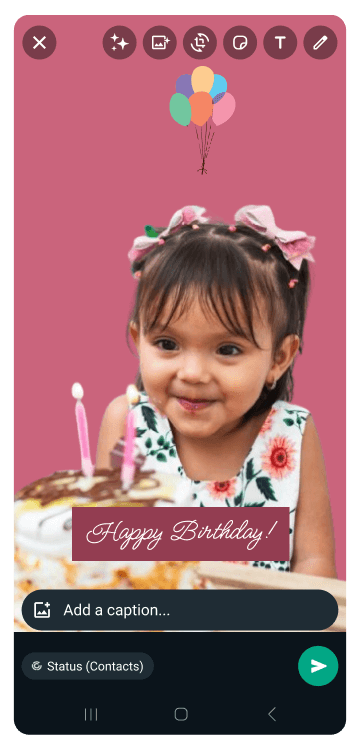
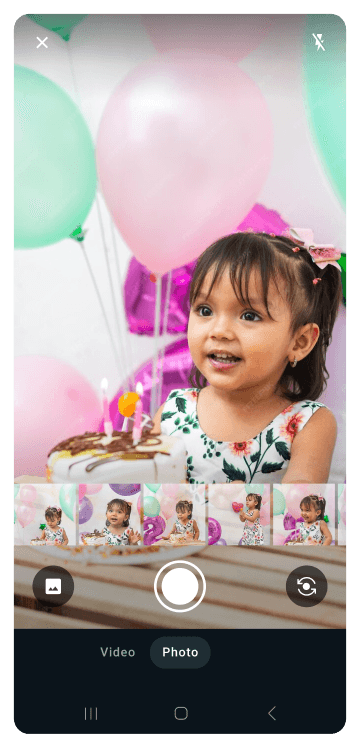
The goal was to harness generative tools to inspire richer status updates, auto-generated captions and context-aware backgrounds and sticker recommendations. The above screens are a few from the entire flow, illustrating how generative AI can be added to the existing WhatsApp process without disrupting the simplicity users know and love.

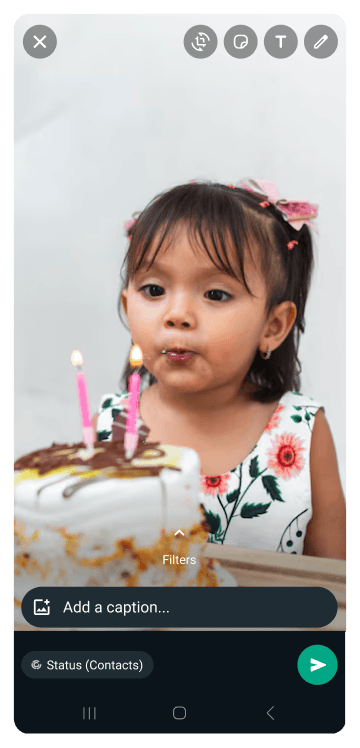
original UI

(Before adding gen ai Features)

new ui - after adding gen Ai features (placed top of the screen)

original UI

(Before adding gen ai Features)

new ui - after adding gen Ai features (placed top of the screen)

original UI

(Before adding gen ai Features)

new ui - after adding gen Ai features (placed top of the screen)

placing new gen ai features within the existing Ui

The priority was to make these AI enhancements feel like a natural extension of the WhatsApp Status. Effort was taken to ensure users easily understand what each AI feature does without breaking the app’s simplicity.

Guided Tooltip for AI-Powered

Image Enhancement

To introduce the new AI-driven image enhancement feature, a tooltip appears the first time users encounter it - briefly explaining its purpose and capabilities. In this use case, with just a tap, users can reduce blur and sharpen their photos before posting.

allowing users to improve image quality

This demonstration shows how the AI intelligently removes unwanted markings from a photo - transforming it into a cleaner, sharper image that’s ready to share.

Guided Tooltip for AI-Powered

Image Enhancement

To introduce the new AI-driven image enhancement feature, a tooltip appears the first time users encounter it - briefly explaining its purpose and capabilities. In this use case, with just a tap, users can reduce blur and sharpen their photos before posting.

allowing users to improve image quality

This demonstration shows how the AI intelligently removes unwanted markings from a photo - transforming it into a cleaner, sharper image that’s ready to share.

Leveraging Text Input as an AI Prompt

Users add text to their status just as they normally would. This input then serves as a launch point for the AI—informing auto-generated design variations, stylized layouts, and creative enhancements that bring each status message to life.

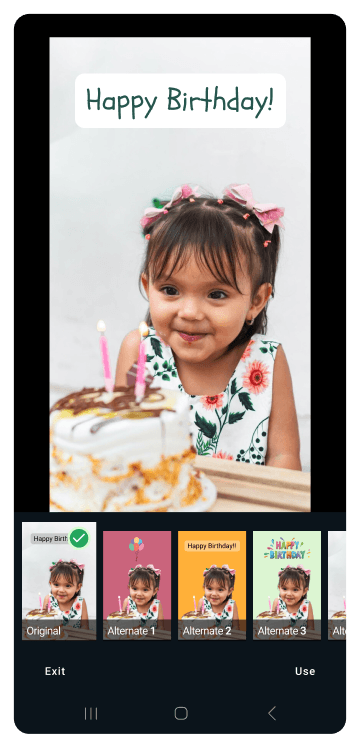
Browsing AI-Generated Status Options

By tapping the newly added CTA on the top of the screen, users can browse a curated set of AI-generated status variations - previewing and selecting the design that best fits their mood or message.
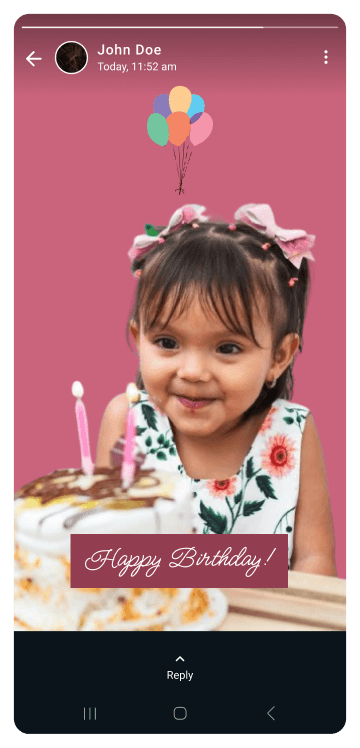
Posting the status

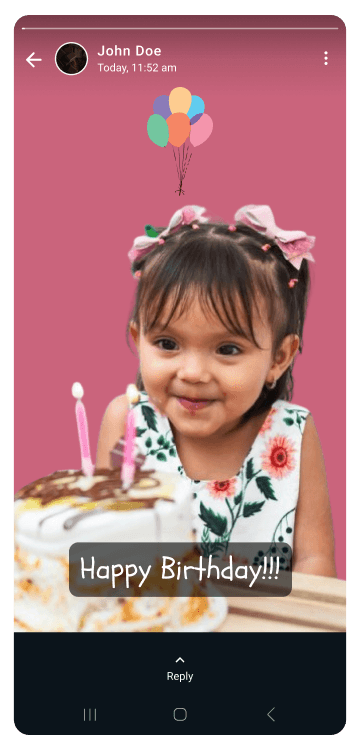
Once the user has selected their preferred AI-generated design, they post the status as usual - tapping the send CTA to make it live. The facing AI-generated option blends the new creative capability with WhatsApp’s familiar sharing flow.

BEHIND THE SCENES: A WALKTHROUGH OF

THE AI-POWERED BACKEND WORKFLOW

BEHIND THE SCENES: A WALKTHROUGH OF THE AI-POWERED BACKEND WORKFLOW

BEHIND THE SCENES: A WALKTHROUGH OF THE AI-POWERED BACKEND WORKFLOW

In the backend, the system would orchestrate a series of AI and ML services to transform user inputs into polished status options. For example, images may undergo background removal, while user input text is analyzed for sentiment. Detected emotions then inform font selection and stylistic treatments; ensuring variations align with the intended mood. User input, which would include the image as well as any text, drives multiple sets of graphic creation, and text styling - producing a range of candidate designs, ready for users to preview and select.

In the backend, the system would orchestrate a series of AI and ML services to transform user inputs into polished status options. For example, images may undergo background removal, while user input text is analyzed for sentiment. Detected emotions then inform font selection and stylistic treatments; ensuring variations align with the intended mood. User input, which would include the image as well as any text, drives multiple sets of graphic creation, and text styling - producing a range of candidate designs, ready for users to preview and select.

Starting with Low-Hanging Fruit: AI-Powered Background Removal

The system first isolates the primary subject and removes the background - a straightforward task for modern AI. Some generated options preserve the original backdrop, while others introduce a solid color or gradient in its place. This simple enhancement serves as an ideal entry point for richer AI-driven status variations.

Understanding the Message to Drive Font Suggestions

First, the system performs sentiment analysis to grasp the emotion and intent behind the user’s text. Informed by this deeper understanding, it queries a tagged font library - such as Google Fonts as seen below - to surface typefaces whose mood and characteristics align with the message. This targeted matching ensures that each AI-generated status variation not only looks polished but also resonates emotionally with its content.

Leveraging Adobe Illustrator’s Gen AI to demonstrate Possibilities

Next, the backend AI analyzes the primary image to understand its content and context and then recommends complementary visuals; drawing from popular styles. While manual referencing informed the choices in the below recordings, the system would be configured to automatically suggest and integrate supporting imagery, producing the final outputs.

Leveraging Adobe Illustrator’s Gen AI to demonstrate Possibilities

Next, the backend AI analyzes the primary image to understand its content and context and then recommends complementary visuals; drawing from popular styles. While manual referencing informed the choices in the below recordings, the system would be configured to automatically suggest and integrate supporting imagery, producing the final outputs.

© 2025 Arianth tejas

All rights reserved

Create a free website with Framer, the website builder loved by startups, designers and agencies.